
Photo inspection reports, made EZ.
Let EZ²-Inspect do the work as it instantly turns your photos into formatted reports.
- Move Ins
- Move Outs
- Turns
- Evictions
- Inspections
- Memos
- Repairs
- Incident Reports
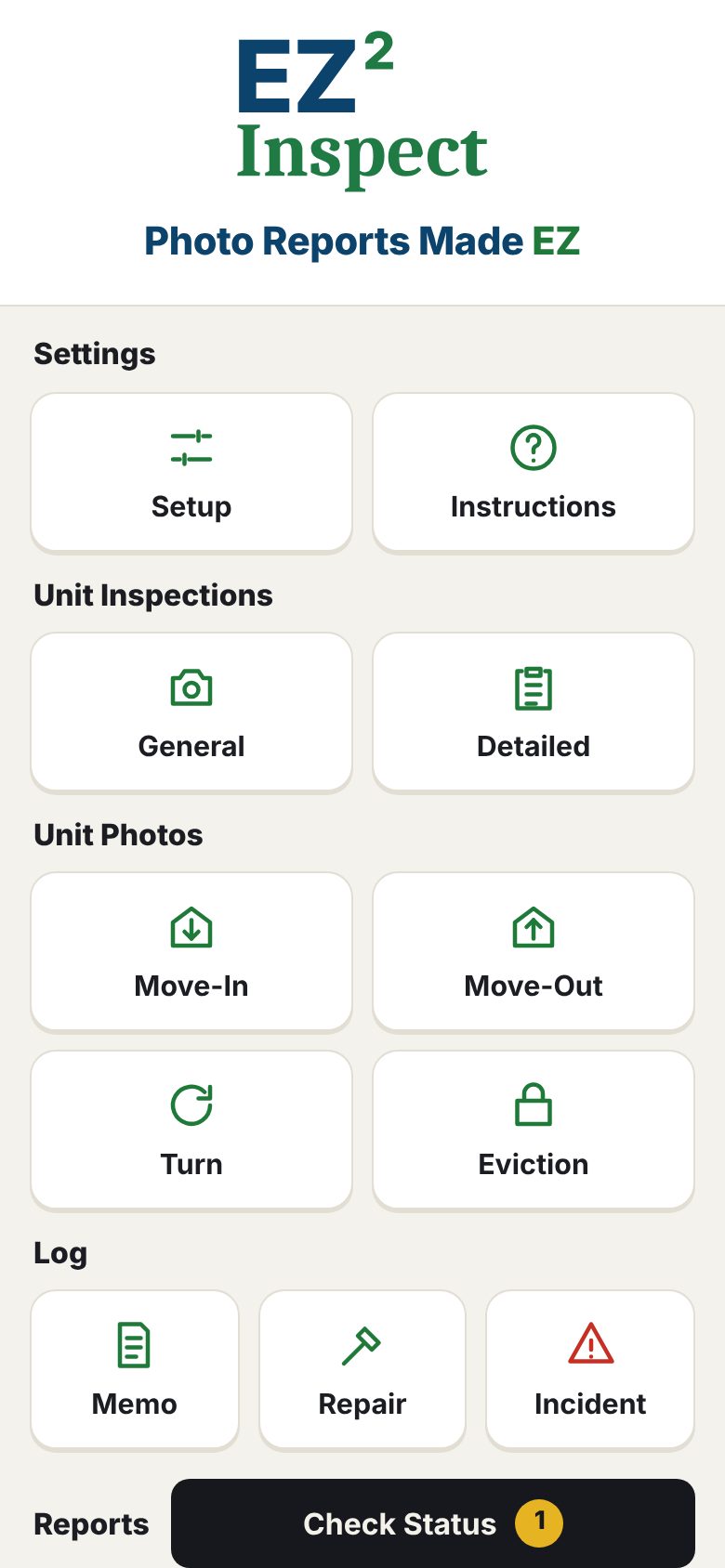
Three steps. That’s the whole app.
If you can take a picture with your phone, you can use EZ²-Inspect.
Pick the report
Tap Move In, Move Out, Turn or Eviction on the Home screen and type in the tenant’s name and unit address.
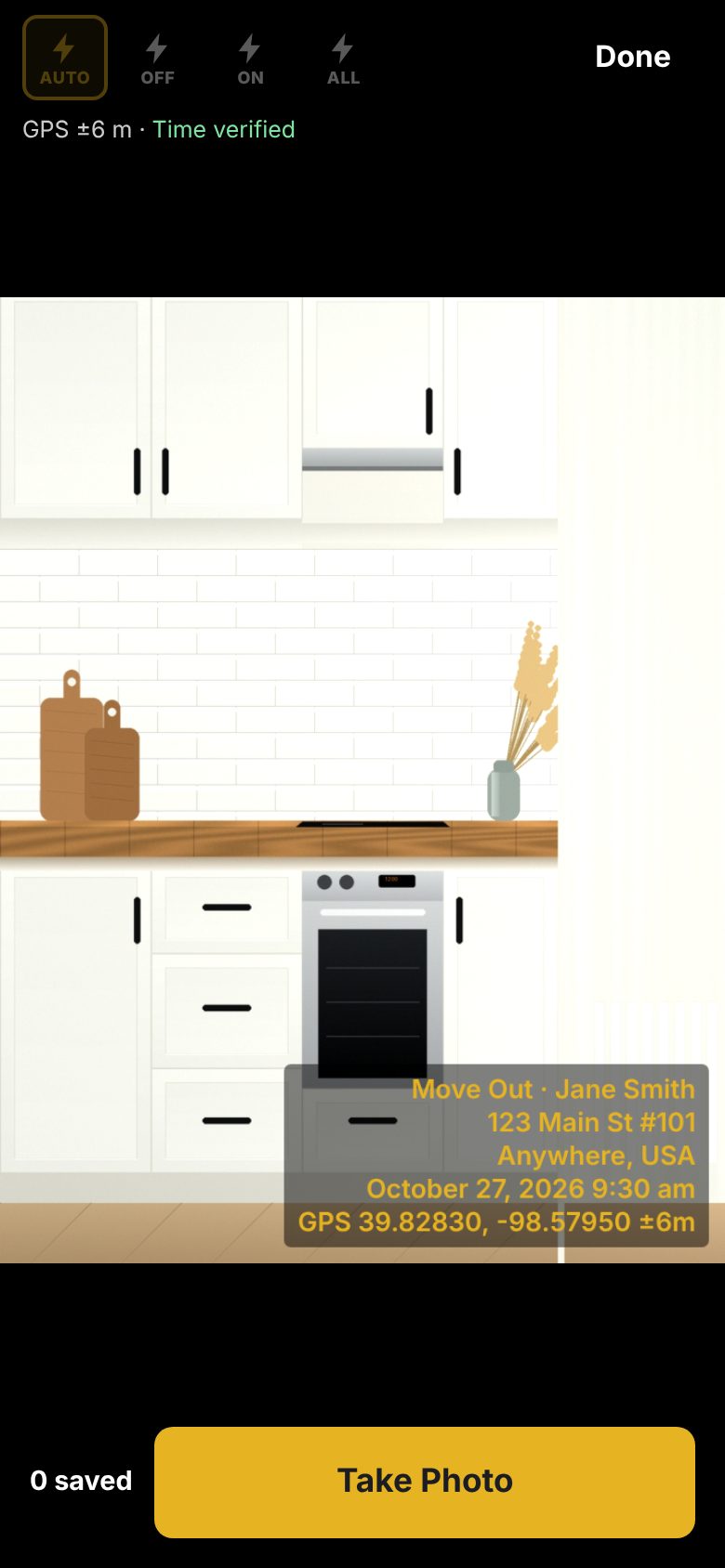
Take the photos
Every photo is stamped with the report type, tenant, address, date and time.
Print the report
Save the unit to Reports and start the next one. From Reports, print it, email it, or save it to the tenant file as a clean PDF with a cover sheet.
Customize your dashboard in seconds
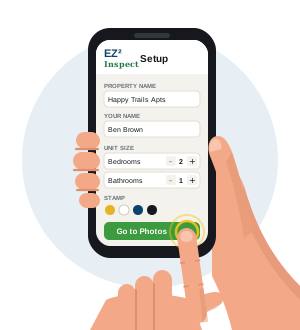
- Enter your property data once
- Adjust your screen settings
- Select your unit size
- Done! Start your inspection
Every report you need at your fingertips!
An inspection app built for the real world.
Simple - Professional - Efficient
Move In
Record the unit’s condition at the start of the tenancy, room by room, with every photo stamped.
Move Out
Track possession, unit condition, and trash-out requirements on one report with documented photos.
Turn
Document the unit between tenants after the unit is ready and before the new tenant moves in.
New tenant moving in? Tap Duplicate for Move-In: one photo session saves both the Turn and the Move-In report.
Eviction
Record the sheriff lockout time and abandoned property requirements on the cover sheet of the report.
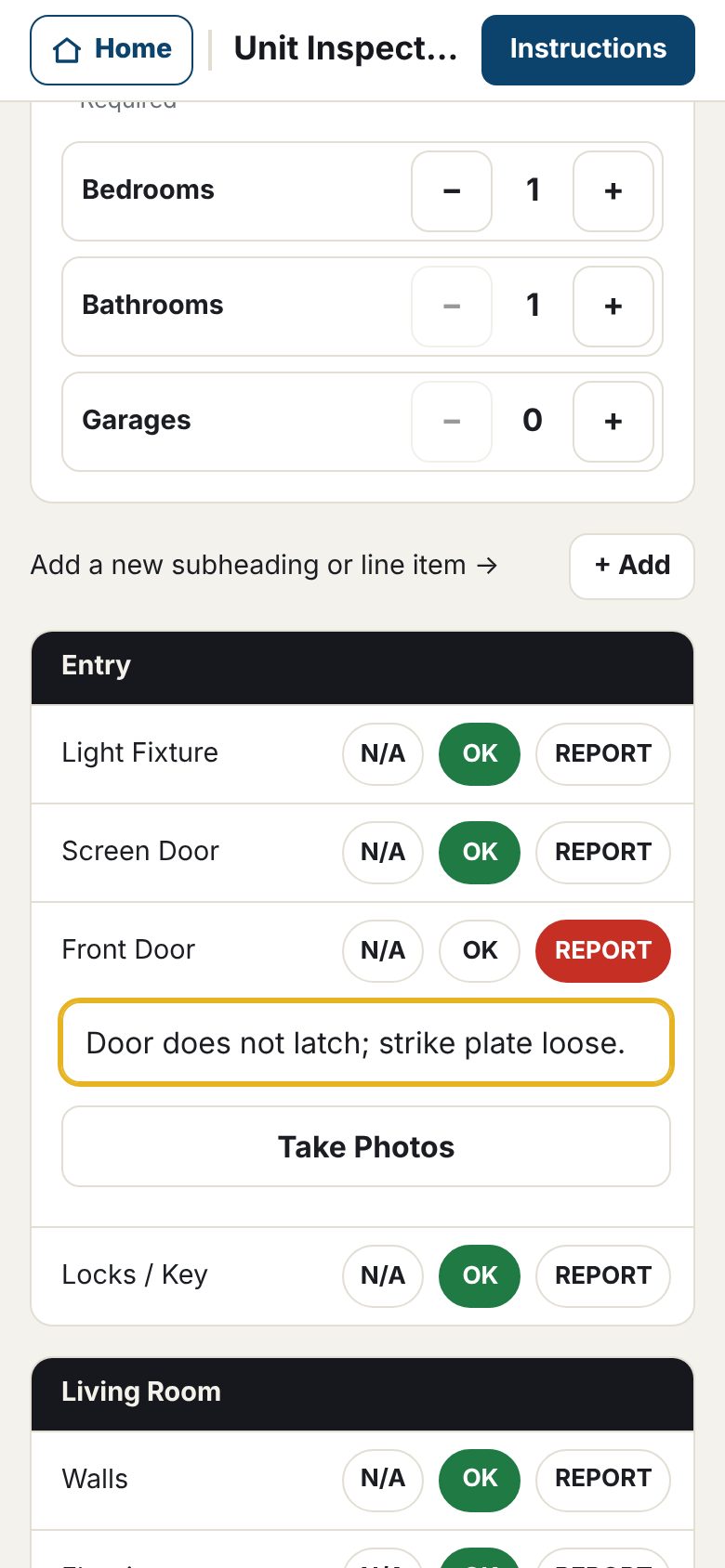
Inspections without the clipboard
Customize your inspections with the click of a button and your report builds itself.
- Adjust the number of bedrooms and bathrooms
- Add a garage with one tap
- Add subheadings and line items to suit your needs
Is it detail you want
- Select the “Detailed” inspection format and follow the form. Never miss an outlet or cabinet drawer.
Do you have a need for speed
- Select the “General” inspection format and walk the unit taking photos and adding comments. Compile your report when you get back to the office
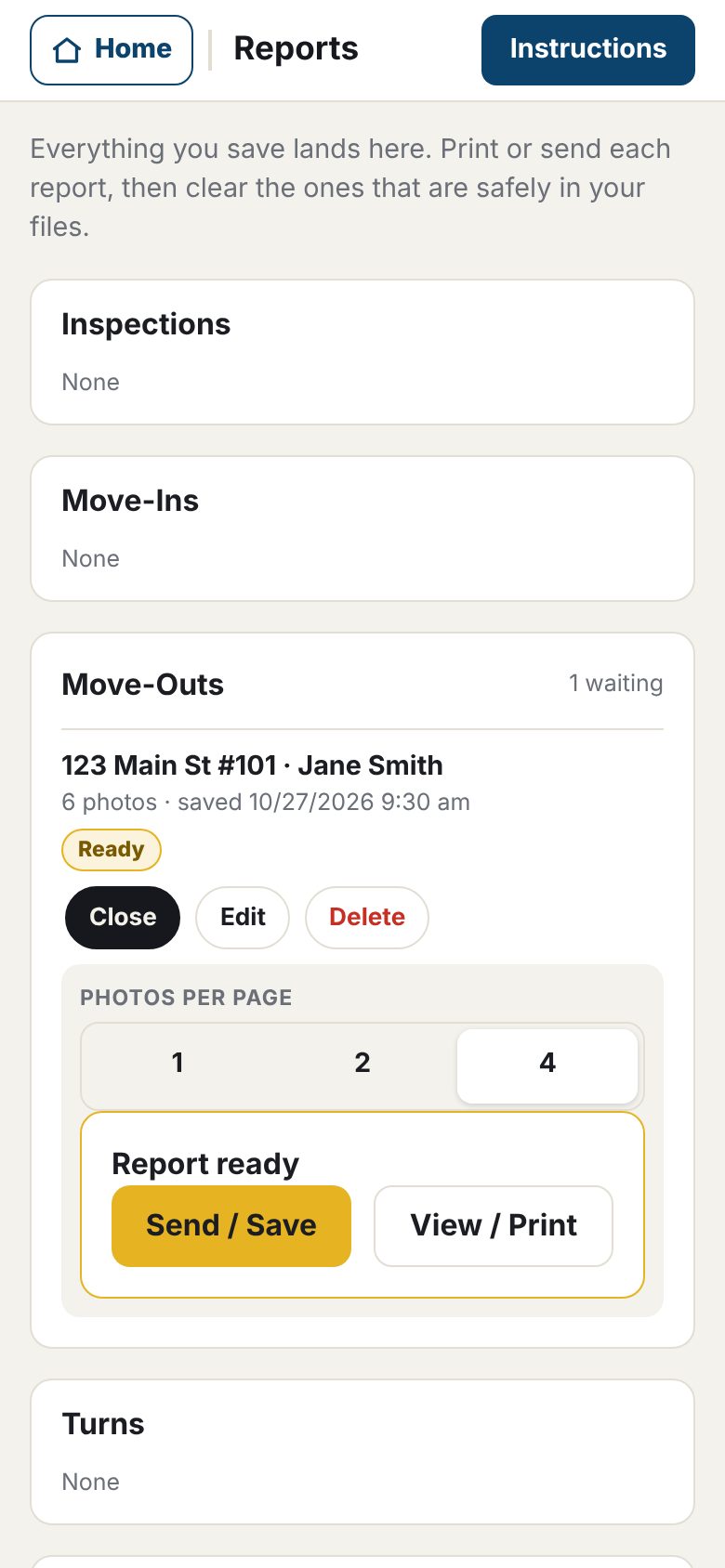
Reports
- One location
- Easy to track
Every report you save is in one place. Shoot multiple units back-to-back and then print them all back at the office.
- Grouped by Move Ins, Move Outs, Turns, Evictions, Inspections, Memos, Repairs, and Incident Reports
- Each report shows Ready, Sent or Printed, or Changed since sent
- Print, email or save to Google Drive with one tap
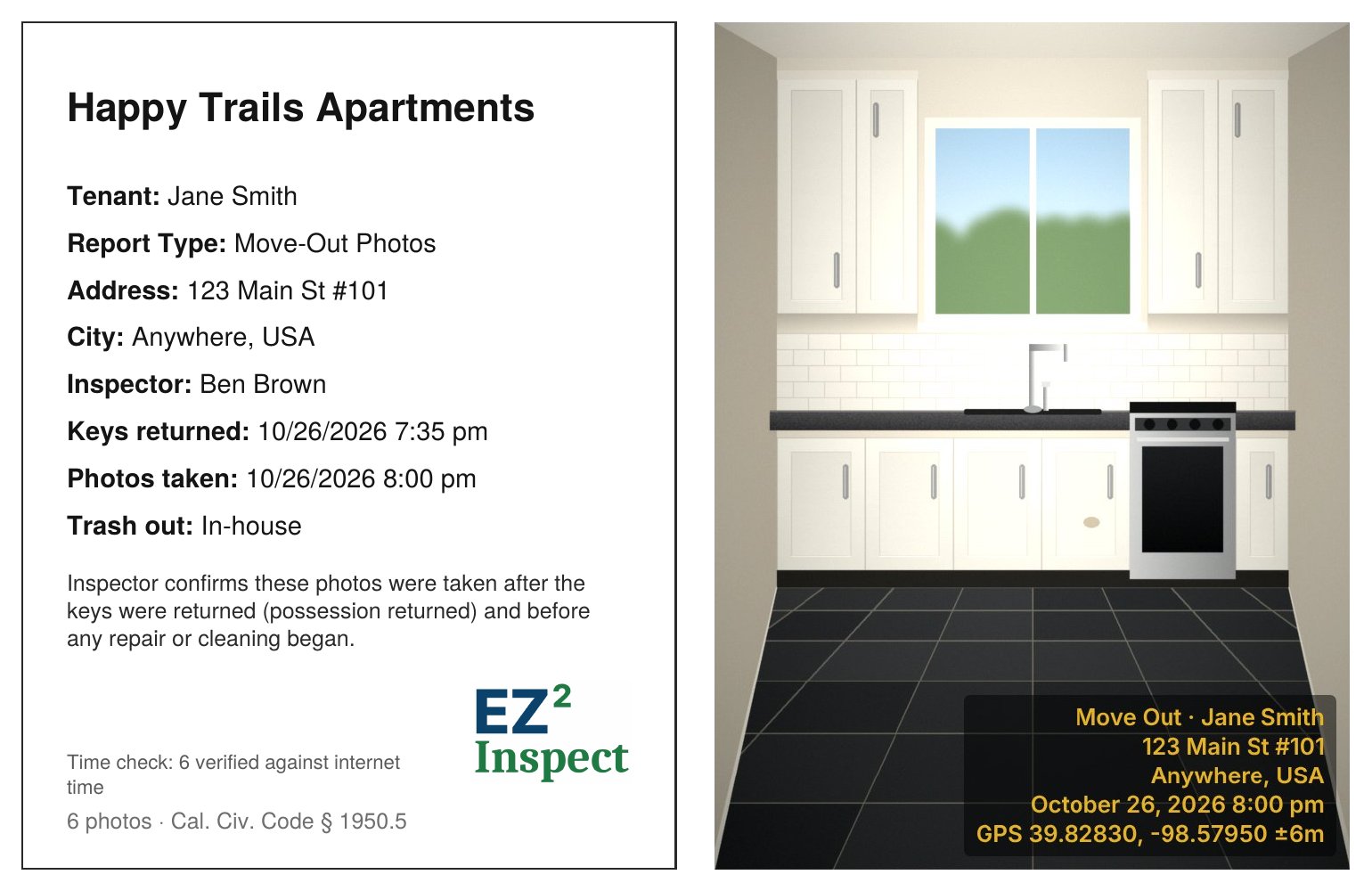
A report that speaks for itself
Every report starts with a cover sheet your office, your attorney or a judge can read at a glance.
- Move Out and Eviction timing. Use the app to track return of possession, keys returned, and when photos were taken. Document your steps to protect your owner, yourself, and your staff.
- Time check. When the phone has signal, its clock is checked against internet time. If the clock is off, the photos are flagged on the report.
- Optional GPS Coordinates. If you need the precise location documented, click GPS and it is stamped on every photo. It even works without signal.
- Keep track of every report. Every report waits in Reports, marked Ready until it’s sent or printed, with a reminder if it waits more than 3 days.
But wait, there’s more!
Memos – Repairs – Incident Reports
All on the Home screen.
Same Camera, same Stamps, same Reports list.
Memo
A broken sprinkler, a parking problem, a light out. Tap a category, record a note, take a photo, and save it to Reports.
Repair
Take before, during, and after photos for repair documentation. Including notes, hours, and materials.
Incident
A slip and fall, a car break-in, a water leak. Document it all, including the people involved, and any witnesses to the event.
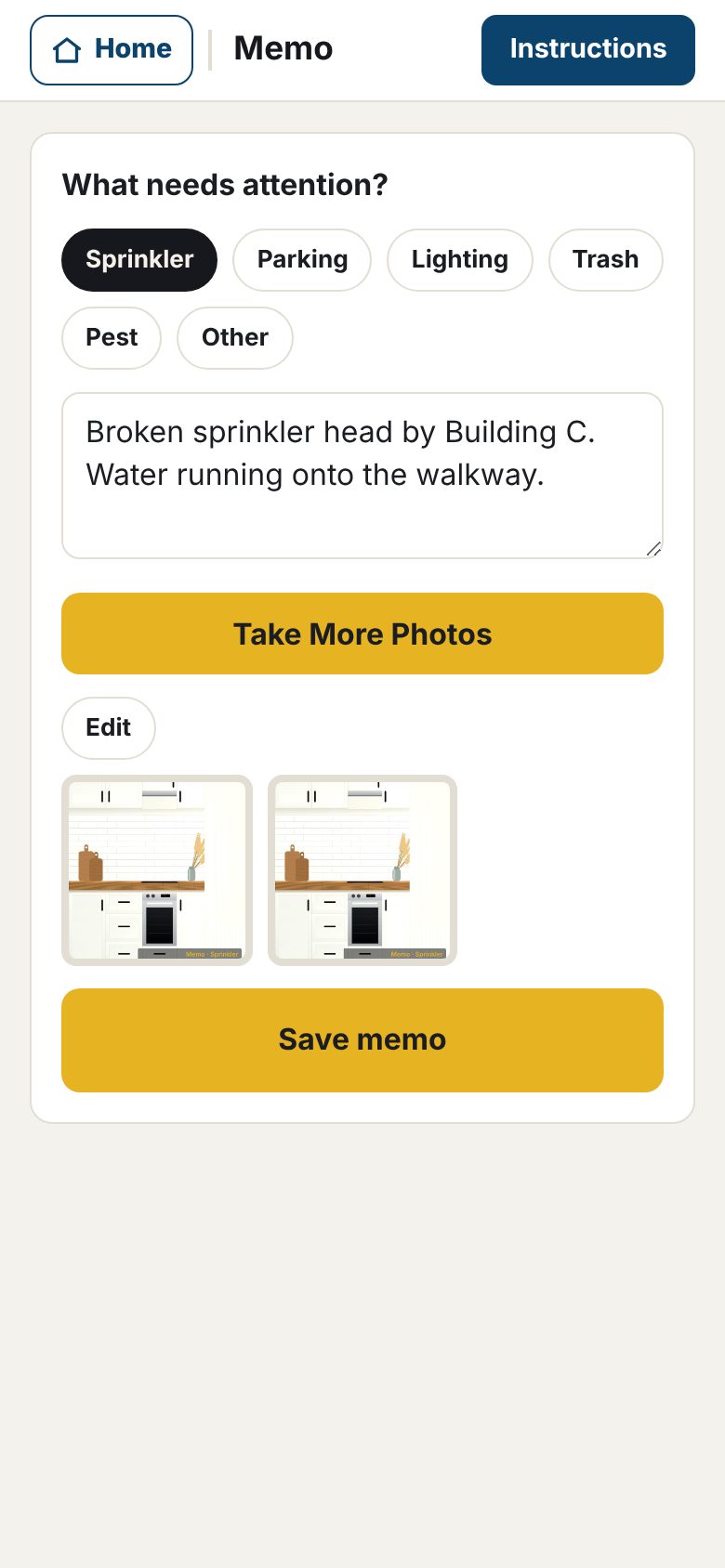
Memos: note it, snap it, done
Whether you’re walking the grounds of your property or making a shopping list, nothing is quicker than EZ²-Inspect.
- Pick a category:
- Sprinkler, Parking, Lighting, Trash, Pest or Other
- Take a picture:
- Photos are stamped with the property address, date and time
- Enter your notes:
- Use voice to text, or type on the keyboard
- Save to Reports:
- Have digital or print documents at your fingertips
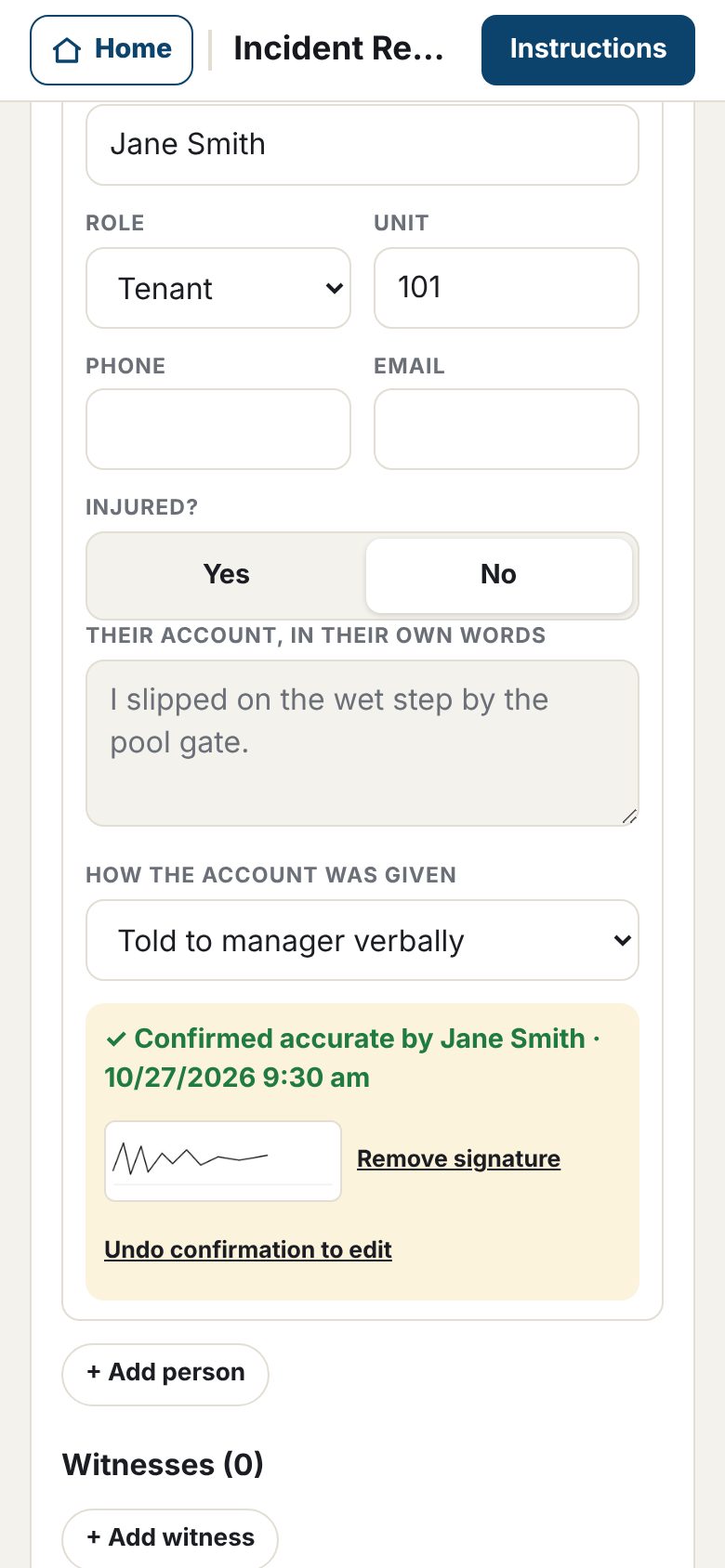
Organized incident reports
Record what happened while it’s fresh, in a form that keeps you to the facts.
- Get statements from witnesses and those involved. Hand them the phone. They type in their name, record their statement, and tap “I confirm this statement is accurate.” They can even add a finger signature.
- Ask by text option. One tap opens your Messages app and sends a prepopulated message requesting their account of what happened. Their reply, from their own phone, is your paper trail.
- Document only what applies. Vehicle, police, site conditions, and follow-up sections open only when you need them.
- Confidential report. When done, click save and EZ²-Inspect produces a clean PDF report for your management, the owners, your insurance carrier, and the authorities involved if required.
Built for the field
Flexible design for all properties
Any phone, nothing to install
Open it in the browser and add it to your home screen. iPhone or Android, no app store.
Works without signal
Basements, new buildings, back units. Photos, stamps and reports all work offline.
Photos stay on your phone
Tenant names, addresses and photos are never uploaded to a 3rd party. Save, review, print, and you’re done.
Fast
The street and city carry over, every item defaults to OK, and the report is one tap.
One unit or five hundred
Every report carries the full street address and unit number, so multi-building communities stay straight.
Instructions on every screen
One tap shows exactly what each screen does. New staff are up and running in minutes.
No In-App Ads!
We hate them as much as you do.
Try it free, then one simple price
Every feature free for 14 days on your own phone. No app store and no credit card, just your email.
14 days, every feature. No credit card.
Renews each month. Cancel anytime.
Billed once a year. Full refund within 30 days.
One license covers one person on up to 2 devices. Prices in US dollars.
Equipping a team?
Price your team instantly and subscribe online, or pay by invoice for 10+ seats. Lower per-seat prices from 10 seats; add and remove people yourself.
Please let us know if you have questions or feedback:
support@ez2-inspect.com